

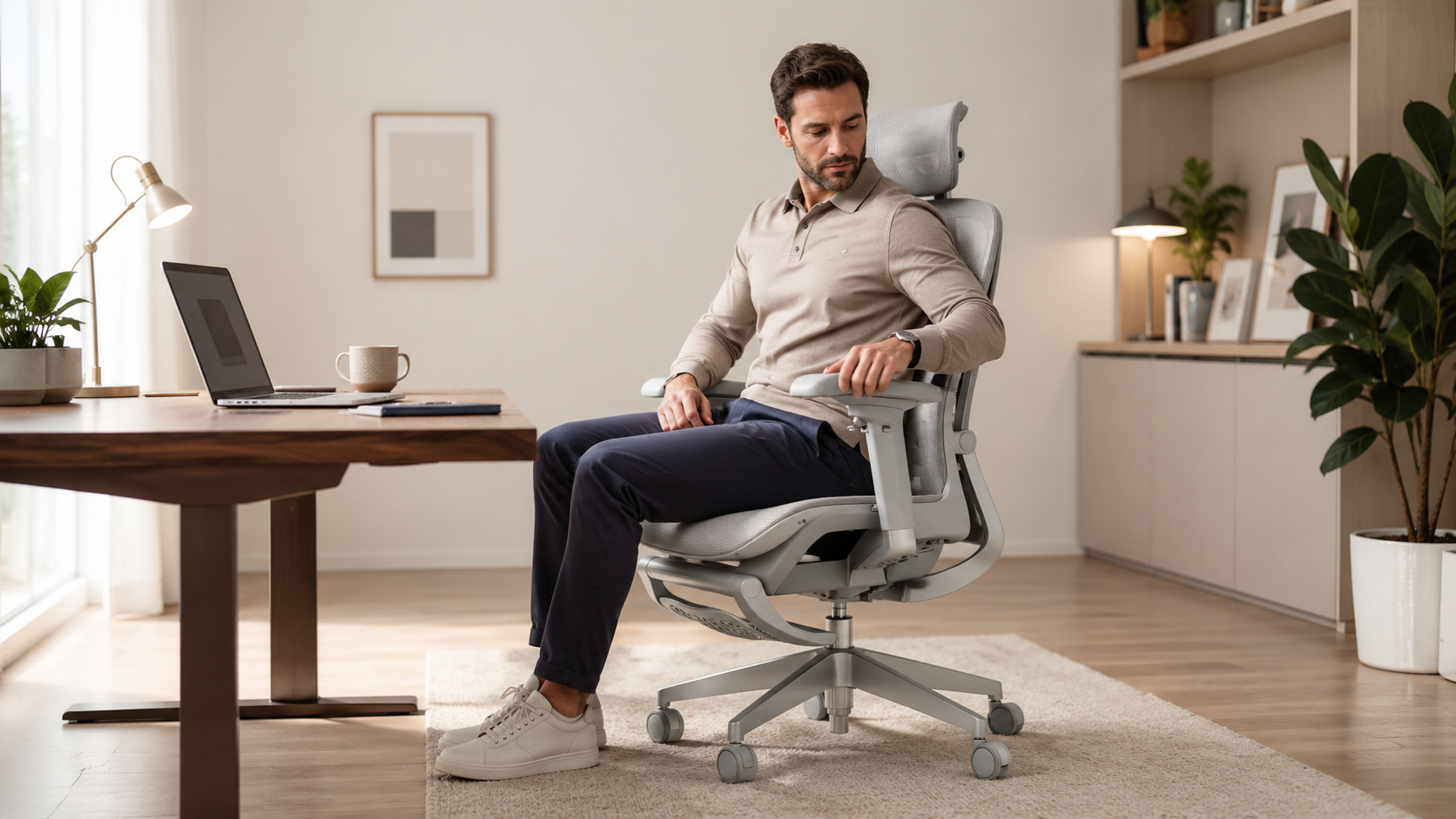
Ergonomic chairs are often marketed as the solution to long sitting hours, back pressure, and uncomfortable workdays. But the truth is simple: not every ergonomic chair fits every body, every posture, or every sitting habit.
A chair can have advanced features, strong lumbar support, adjustable armrests, a headrest, recline, and breathable mesh—and still feel wrong for some users. That does not always mean the chair is poorly designed. It often means the chair’s support system does not match the way that person sits.
If you are choosing an ergonomic chair for your home office, it is important to understand how different features actually feel in daily use. This guide explains what to look for before buying, especially if you are considering a chair with dynamic lumbar support, adjustable armrests, seat depth adjustment, and a headrest.
Ergonomic Chairs Are Not One-Size-Fits-All
The word “ergonomic” can make a chair sound universally comfortable. In reality, ergonomics is about fit. A good ergonomic chair should match your body size, sitting posture, desk setup, and comfort preferences.
Some people prefer firm lower-back support. Others prefer a softer, more subtle feel. Some users sit upright all day. Others lean back often. Some sit with both feet flat on the floor, while others occasionally tuck one leg under the other or sit in a half cross-legged position.
These habits matter. A chair that feels supportive for one person may feel too aggressive, too firm, too flexible, or too structured for another.
1. Understand Your Lumbar Support Preference
Lumbar support is one of the most important features in an ergonomic chair. It is designed to support the lower back and help follow the natural curve of the spine.
However, lumbar support comes in different styles. Some chairs use soft and subtle lumbar support. Some use adjustable lumbar pads. Others use dynamic lumbar systems that actively press into or move with the lower back.
Dynamic lumbar support can feel excellent when reclining because it continues to support the lower back as your posture changes. But for some users, the same lumbar system may feel too prominent when sitting upright.
Before choosing a chair with strong lumbar support, ask yourself:
- Do I like firm lower-back support?
- Do I already use a lumbar pillow?
- Do I often recline while working or relaxing?
- Do I prefer the chair to push into my lower back or simply support it gently?
- Do I want active support or a softer sitting feel?
If you prefer a very gentle backrest, a chair with prominent dynamic lumbar support may feel too strong. If you like active lower-back contact, it may feel more supportive.
2. Pay Attention to Upright Sitting Comfort
Many ergonomic chairs feel different when upright compared with when reclined. A lumbar system that feels comfortable while leaning back may feel more noticeable when the backrest is fully upright.
This is why upright comfort matters. If you spend most of your day typing, writing, or working close to your desk, you need to know how the chair feels in its most upright position.
A good test is to check whether your upper back, shoulders, and head can rest naturally without feeling pushed forward. If the lower-back support is too dominant for your body, your upper back may feel like it does not fully connect with the chair.
For users who work mostly upright, balanced support is often more important than maximum lumbar pressure.
3. Match the Chair to Your Sitting Habits
Ergonomic chairs are usually designed around a neutral sitting posture: feet on the floor, hips supported, back against the backrest, and arms resting near desk height.
But many people do not sit that way all day. Some users sit half cross-legged, tuck one ankle under the opposite knee, lean sideways, or shift between multiple casual positions.
If you often sit with one leg tucked under the other, pay close attention to the seat edge and front frame. Some mesh or structured seats may have a firmer front edge. If the fabric tension or frame design does not match your sitting style, it may press into your ankle or leg.
For more relaxed sitting habits, look for:
- A softer or more rounded front seat edge
- Enough seat width for posture changes
- Flexible but supportive seat material
- A chair design that does not expose hard frame contact points
- A return policy that allows you to test the chair at home
If you mostly sit in a standard working posture, a structured ergonomic seat may feel supportive. If you frequently sit in unconventional positions, you may need to be more careful with seat shape and frame design.
4. Check Armrest Stability and Movement
Adjustable armrests can improve comfort when typing, using a mouse, reading, or gaming. However, more adjustability is not always better if the armrests feel loose or move too easily.
Some chairs include rotating or multi-direction armrests. These can be useful for people who frequently change tasks or arm positions. But if the armrests rotate too freely, they may feel unstable instead of supportive.
When choosing a chair, consider how you use armrests:
- Do you need fixed, stable support for typing?
- Do you want armrests that rotate for different working angles?
- Do you rest your full arm weight on the armrests?
- Do you prefer firm locking positions?
If you rely heavily on armrests for support, stability may matter more than range of motion.
5. Consider How Easy the Headrest Is to Adjust
A headrest can be valuable if you recline, take breaks, or want support for your neck and head. But a headrest only works well when it is positioned correctly.
Some headrests adjust by hand. Others require tools for certain adjustments. Tool-based adjustment can feel more secure once set, but it may be inconvenient during the initial setup process.
If headrest comfort is a priority, check whether the chair allows easy height, angle, and depth adjustment. Also consider how often you expect to change the headrest position.
If multiple people will use the same chair, quick adjustment may be especially important.
6. Look Beyond Materials: Plastic Does Not Always Mean Weak
Many modern office chairs use a combination of mesh, engineered plastic, metal hardware, gas lift components, and a caster base. Some users prefer chairs with more visible metal parts because they feel heavier or more durable.
However, visible material is only one part of build quality. A chair can use engineered polymer components and still be stable if the structure is properly designed and tested. At the same time, users who expect a metal-heavy frame should review product photos and specifications carefully before buying.
When evaluating build quality, look for:
- Weight capacity
- Base material
- Gas lift rating
- Durability testing
- Warranty coverage
- Customer reviews about long-term use
Material preference is personal. Some people want a lighter, modern structure. Others prefer the feel of a heavier chair with more metal components.
7. Do Not Ignore Return Policy and Trial Experience
Even with careful research, you may not know whether a chair truly fits you until you sit in it for several days.
This is especially true for ergonomic chairs with stronger lumbar systems, mesh seats, adjustable headrests, or highly flexible armrests. These features can be excellent for some users and uncomfortable for others.
Before buying, check the return policy, warranty, packaging requirements, and whether the chair can be returned if it does not fit your body. If you are sensitive to lumbar pressure or seat shape, this step is especially important.
How to Decide If a Dynamic Lumbar Chair Is Right for You
A dynamic lumbar chair may be a good fit if you like active lower-back support, often recline, and prefer a chair that maintains contact with your back as you move.
It may not be ideal if you prefer a very flat backrest, dislike strong pressure around the lower back, or mostly sit upright with minimal movement.
The best way to think about it is this:
- If you want the chair to gently support you, choose softer lumbar support.
- If you want the chair to actively hold your lower back, dynamic lumbar support may be better.
- If you sit in many casual positions, check the seat edge and frame design carefully.
- If arm support matters, look for armrests that lock firmly in place.
- If the headrest is important, make sure it is easy enough to adjust.
What to Check Before Buying Any Ergonomic Chair
Before choosing an ergonomic chair, review the full product details instead of relying only on the word “ergonomic.”
Use this checklist:
- Is the lumbar support soft, adjustable, or dynamic?
- Can the seat depth adjust to your leg length?
- Are the armrests stable enough for your work style?
- Does the headrest adjust easily?
- Is the seat edge comfortable for how you sit?
- Does the chair support upright sitting and reclined sitting?
- Does the chair fit your height and body size?
- Are the materials and build quality what you expect?
- Is the return policy clear?
Final Thoughts
The best ergonomic chair is not simply the chair with the most features. It is the chair that fits your body, your posture, your desk setup, and your daily sitting habits.
Strong lumbar support, flexible armrests, mesh materials, a headrest, and recline can all improve comfort—but only when they match what your body actually needs.
If you prefer active lower-back support, breathable mesh, adjustable seat depth, flexible armrests, a reclining backrest, and an extensible footrest, OTO Zenpex may be a good option to consider. If you prefer a very soft, flat, or minimal-support chair, you may want to compare carefully before choosing any dynamic lumbar design.
The right chair should not force you into comfort. It should support the way you work, sit, and move every day.

FAQ
Is strong lumbar support good for everyone?
No. Some users prefer firm, active lumbar support, while others prefer softer and more subtle lower-back support. Comfort depends on your body shape and sitting habits.
What is dynamic lumbar support?
Dynamic lumbar support is designed to move with your posture and maintain lower-back contact as you sit upright, lean back, or shift positions.
Can an ergonomic chair feel uncomfortable at first?
Yes, especially if the support is firmer or more structured than your previous chair. However, if discomfort continues or the chair does not match your posture, it may not be the right fit.
Are rotating armrests useful?
Rotating armrests can be useful for changing work positions, but they should feel stable. If they move too freely, some users may find them distracting.
Should I test an ergonomic chair before buying?
Testing is ideal whenever possible. If you cannot test before buying, review the product dimensions, adjustment options, customer reviews, return policy, and warranty carefully.
How to Choose the Best Ergonomic Chair for Your Home Office?
BIFMA X5.1 Tested Office Chair: What It Actually Means — and Why It Matters